The AI photo editor —Edit photos online for free

Show the world your best self. Just type what you want — no editing skills needed — and turn your photos into images that look truly photographed.

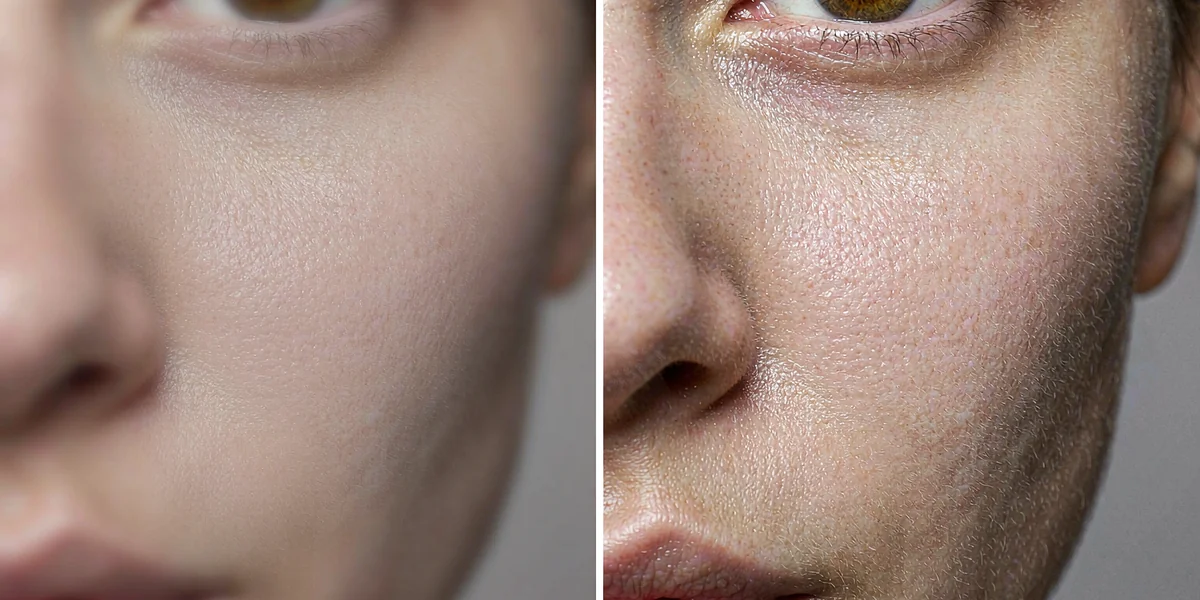
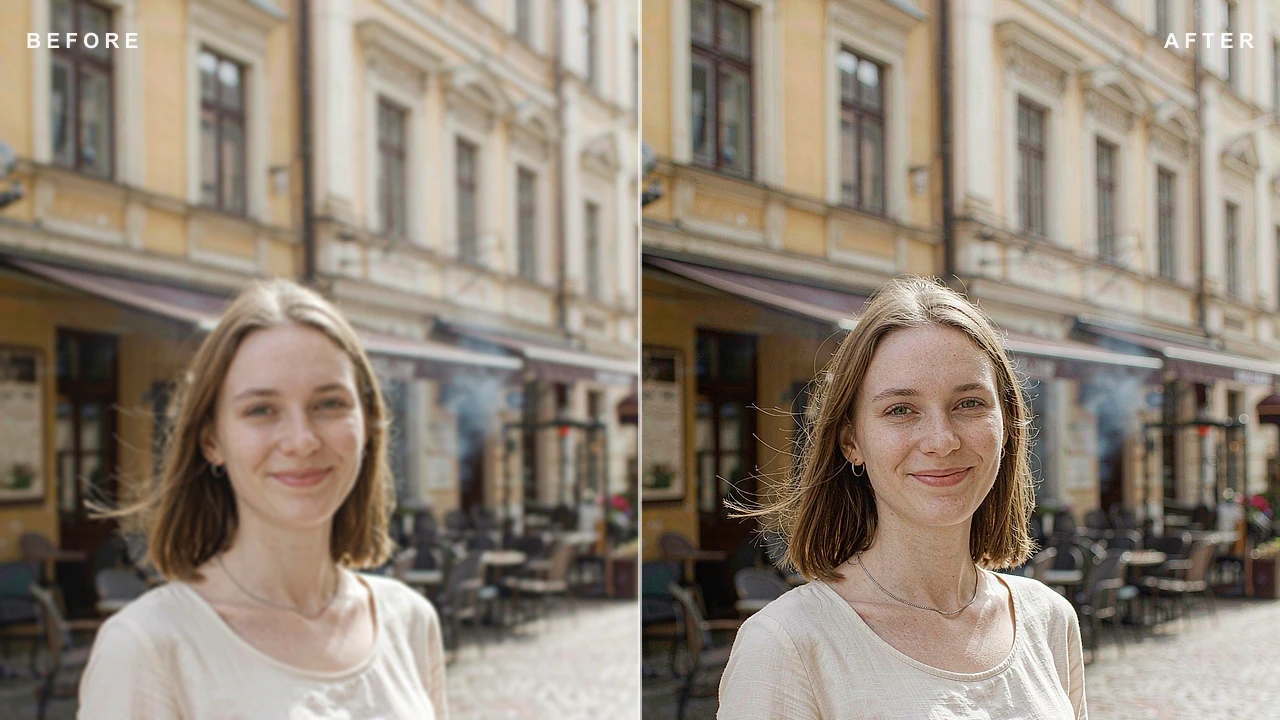
AI Photo Editing Demo: Before and After Comparison of One-Click Sharpening of a Blurred Photo
Make blurry photos sharp in one click,
and bring back real detail and texture

Edit any photo with AI and get 5 free credits when you sign up. Add or remove objects, swap backgrounds, refine details, or blend products and people into your photos seamlessly.

Our AI editor excels where others fall short: natural lighting, precisely placed objects, and true-to-life detail. Just describe the result you want and let the AI do the rest.

Sign up for free to unlock the full experience: higher quality, more controls, watermark-free results, and more tools to create the perfect image.
See what you can create today

See the results first, then try it with your own photos.

Powerful editing tools

You say one sentence. The AI does the rest.

AI automatically edits images after understanding the scene

🧠 Smart AI editing

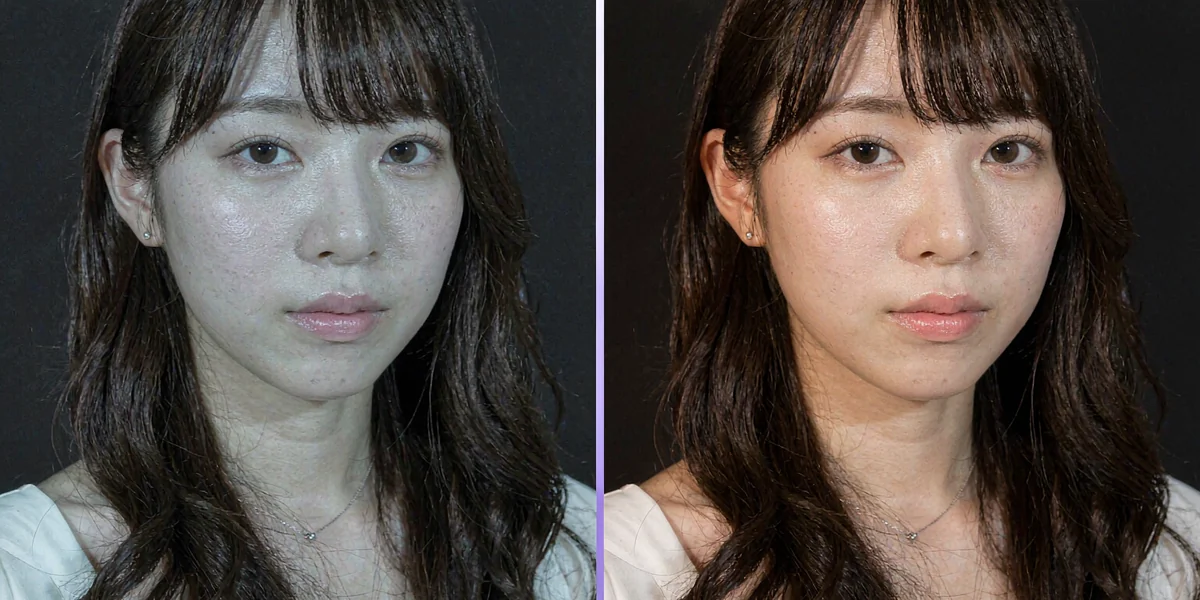
Describe the effect you want, and the AI will first understand the image before making any changes: the direction of light and shadow, the warmth or coolness of the skin tone, and the skin texture are all processed according to the logic of a real photo. After editing, it looks natural, not blurry, and not like a filter.

Incorporate the product naturally into the photo

📦 Add people or objects

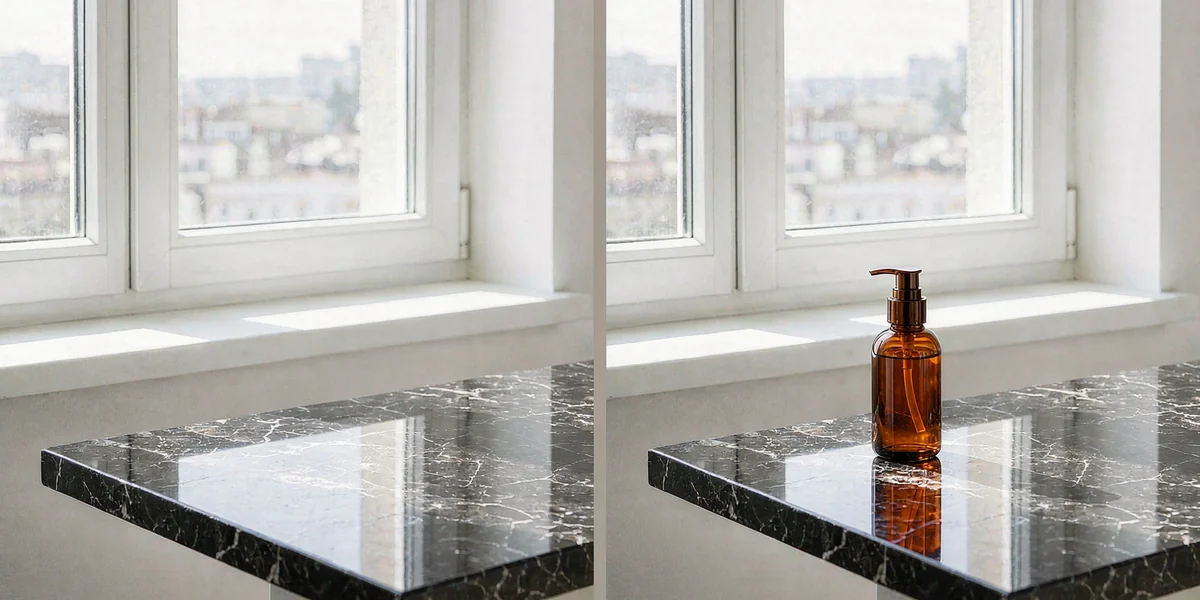
Place products, props, or people in the photo, and AI will arrange their positions and shadows according to the perspective and lighting of the original image. The edges blend naturally, and even when zoomed in, it’s impossible to tell that they were added later.

Replace photo background with one sentence

🏞️ Background swap

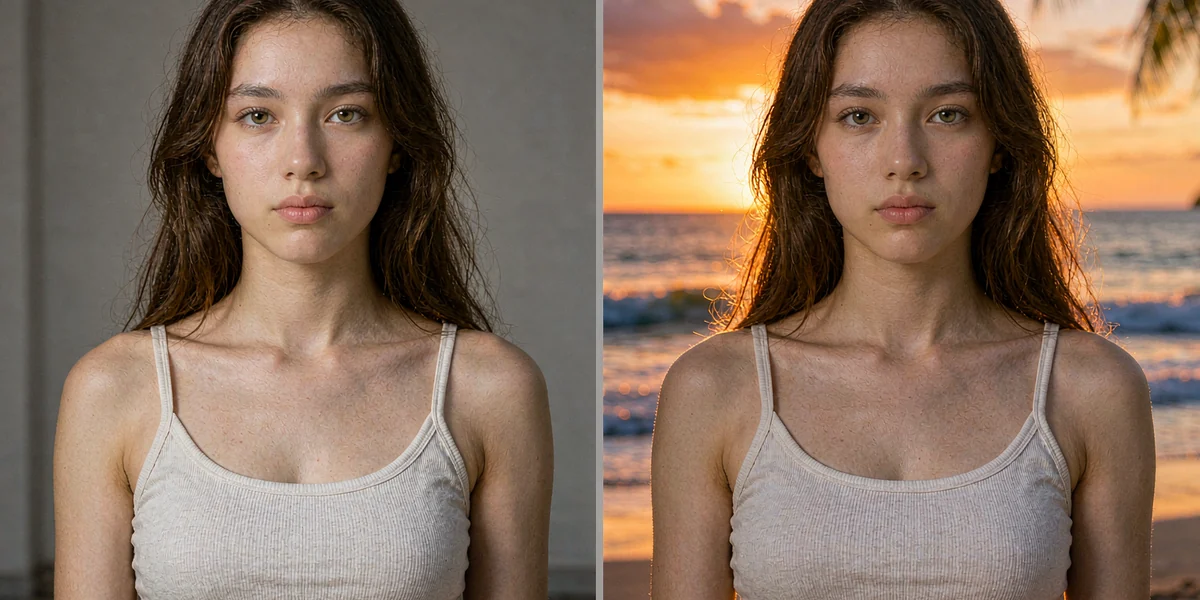
Change the background in one sentence: Replace an indoor white wall with a sunset by the sea, and a cluttered street scene with a clean backdrop. The edges of the subject are automatically cleaned up, and even the strands of hair and translucent areas are smooth.

Remove unnecessary objects such as passersby

🗑️ Object removal

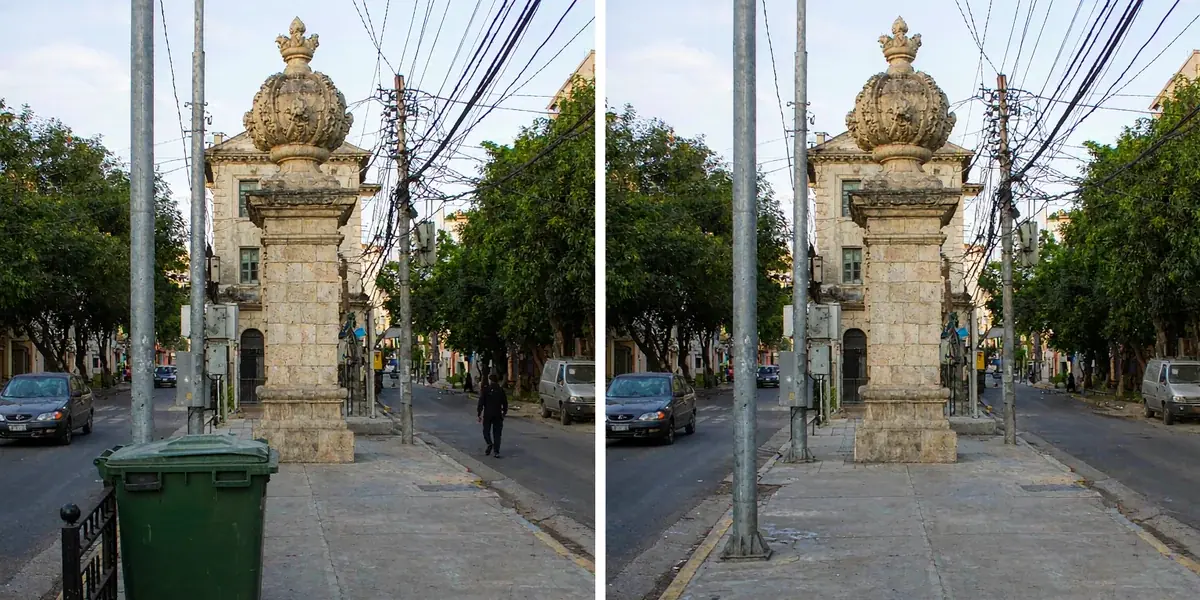
Intruding passersby, roadside trash cans – all erased in an instant. AI completes the textures of the ground and sky based on the surrounding scene, leaving no blurry patches or unnatural retouching marks.

Edit images with text descriptions

💬 One-line edits

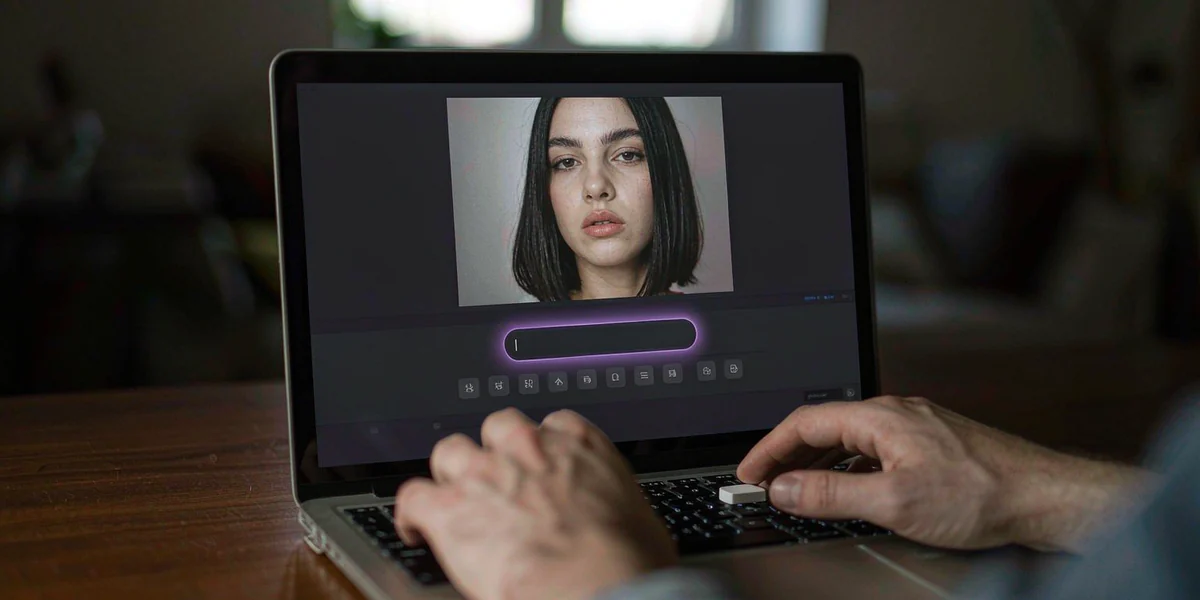
“Brighten it up a bit,” “Add a soft shadow,” “Make the skin look smoother” – just type out your requests. No need to remember parameters or learn about layer masks. You’ll see the results immediately after the changes are made.

Enhanced contrast for details and texture

✨ Detail enhancement

Layer by layer refinement of color, lighting, and skin texture: shadows are clear, highlights are not overexposed, and pores are preserved. The final image can be directly used on e-commerce product pages and in advertisements.

How to use?

Three steps to a great image, plus four tips that make it even better

1

Upload a photo

JPG, PNG or WebP up to 20MB, from your phone or computer

2

Describe the result you want

Describe what to change and how, or start from a ready-made tool

3

Download the result

Results in seconds. Save what you like, or rephrase and try again

Four quick tips

📝 Be specificClearly state “what to change and how to change it,” for example, “Change the background to a beach sunset, and keep the people in focus.”
💡 Match the lightingWhen adding people or changing the background, add the phrase “Match the lighting of the original image” to make the composited parts blend more naturally.
🔁 Rephrase if it is not rightReplace general terms with specific ones: “Clearer” → “Sharpen facial features,” getting more accurate each time.
🆓 Try the free credits firstSign up to earn credits. Try out several different descriptions for the same photo and choose the one you like best.

What is PixHoney?

PixHoney is anonline AI photo editor: Upload a photo and tell it in one sentence what effect you want – restore, enhance, change style, add or remove people, create an ID photo –and delivers results in seconds. No need to download software or learn how to use photo editing tools. Just open your browser to use it.

It has turned photo-editing skills that used to take half a year to learn into something as simple as plain language. Currently, the site focuses on just one thing – transforming AI-generated images into those with the look and feel of real photographs. Doing it thoroughly is more important than expanding. Sign up to receive free credits. See the results first, then decide whether to continue.

1 sentenceDescribe the effect you want
5 imagesBatch Upload Processing
No watermarkDownload and use immediately, no watermark
Focus on 1 toolAI Images Become Real
No installation requiredIt can be fixed by opening the browser.
Try for freeSign up to earn 5 credits
0 CNYStart with a free credit
Privacy and SecurityPhotos are visible to you by default

The Advantages of AI Photo Editing

Instead of moving old tools online, we’ve changed the way photo editing is done.

⚡

Generate images in seconds

What used to take half an hour can now be done in a few seconds with a single command. Want to change your mind? Just enter it again. You don’t have to start over.

🎯

No barriers

You don’t need to learn about layers, masks, or curves. If you can use WeChat, you can use it. The more specific the description, the closer the result will be to what you want.

💬

Understands human speech

“Change the background to a sunset by the sea.” “Remove the passersby in the background.” – Give direct instructions in natural language without having to remember any keyboard shortcuts.

🧠

Revise based on understanding of the image content.

The restoration will follow the image to complete it, and the style will be redrawn according to the characteristics of the people. It is not simply a matter of applying a filter to the photo.

💰

Controllable costs

Start with a free credit and pay as you go. The cost per image is so low that you can feel free to try several times and then choose the one you like best.

🔒

Privacy and Security

Photos are only used to generate the results you want. By default, they are only visible to you and will not be publicly displayed. You can delete them at any time after use.

How is it different from traditional photo editing software?

With traditional software, “you do the work.” With AI image editing, “you state your needs, and it does the work.”

Contrast itemPixHoney (AI)Traditional photo editing software
Learning curve✓If you can type, you can use it. You can get started after looking at the example once.×To learn about layers, masks, and image cutouts, first go through a few hours of tutorials.
Edit an image✓Describe your needs in one sentence, and get an image in seconds×Manual step-by-step fixes take minutes to hours
Creative gameplay✓Turn yourself into an anime character, take a photo with your younger self. Tap to try it out.×Requires hand-drawn or composite skills; ordinary people can’t do it.
5.1 Device Requirements✓All you need is a browser, and you can also operate the entire process on your mobile phone.×High-end computer with several GB of software installed
Learning costs✓Change the request=In other words, there are no new skills to learn.×Each effect requires a set of operations, and there’s always more to learn.
Expense ratio✓Start with a free tier and pay as you go×One-time purchase or annual subscription, high barrier to entry

Who is PixHoney for?

Simple, Transparent Pricing

Pay-per-use, no automatic renewal. Try it for free before making a decision.